API Keys
Create and manage API keys in CodeVector. Each key is per-user, hashed at rest with a memory-hard algorithm, and revealed only once at creation.
Your gateway URL
Pin your own gateway hostname and we'll rewrite the routes and curl examples on every docs page so you can click straight through to the live console. Stored locally in your browser.
API keys are per-user bearer tokens that authenticate requests to the gateway. Each key has a name, optional expiry, and a prefix for identification.
The API Keys list
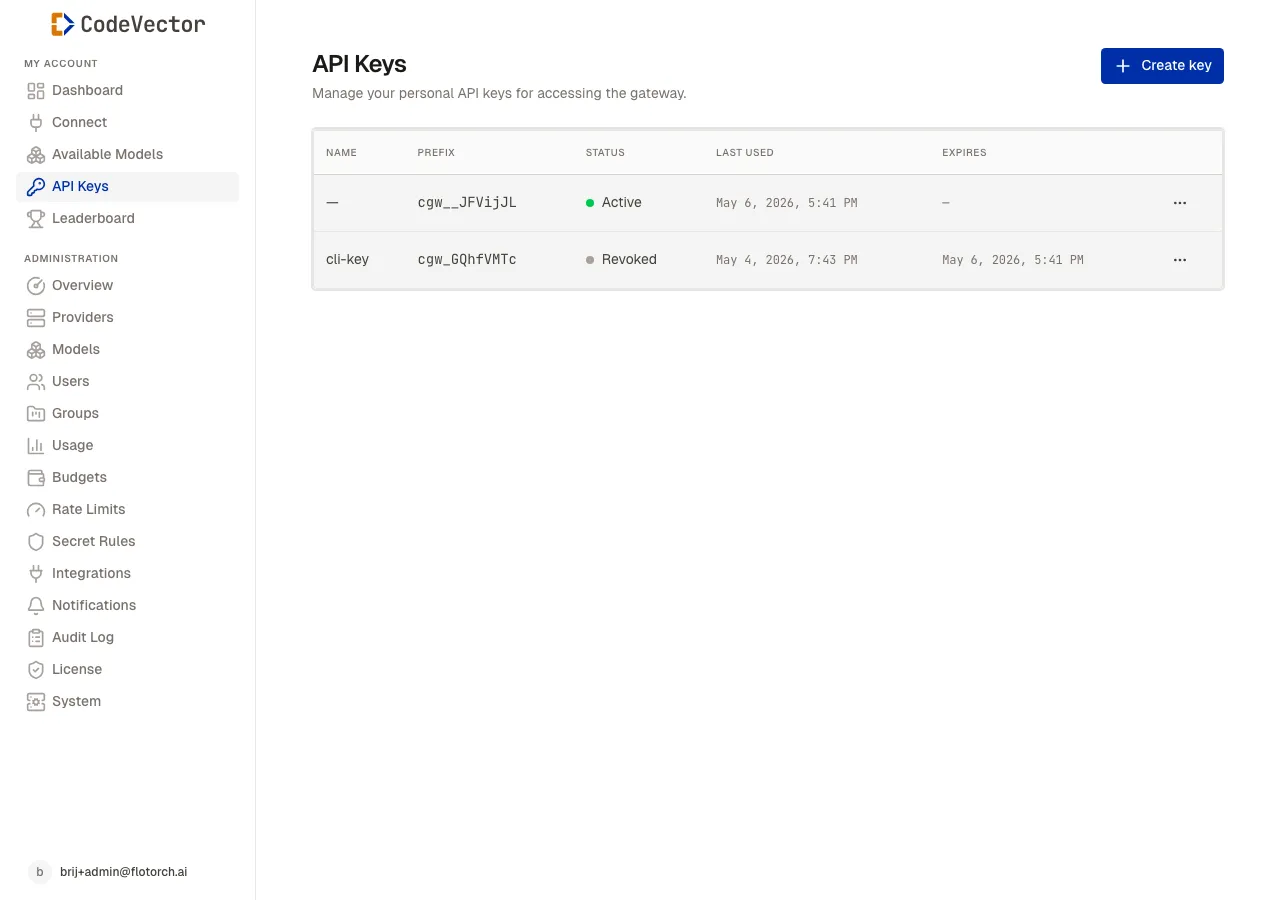
The API Keys list shows every key with its prefix, status, last used date, and expiry.
Open /api-keys to see your keys. The table shows:
- Name - the label you gave the key.
- Prefix - the first few characters of the key, shown in monospace.
- Status -
Activewith a green dot, orRevokedwith a gray dot. - Last used - when the key was last seen in a gateway request.
- Expires - the expiry date, or
-if none.
Creating a key
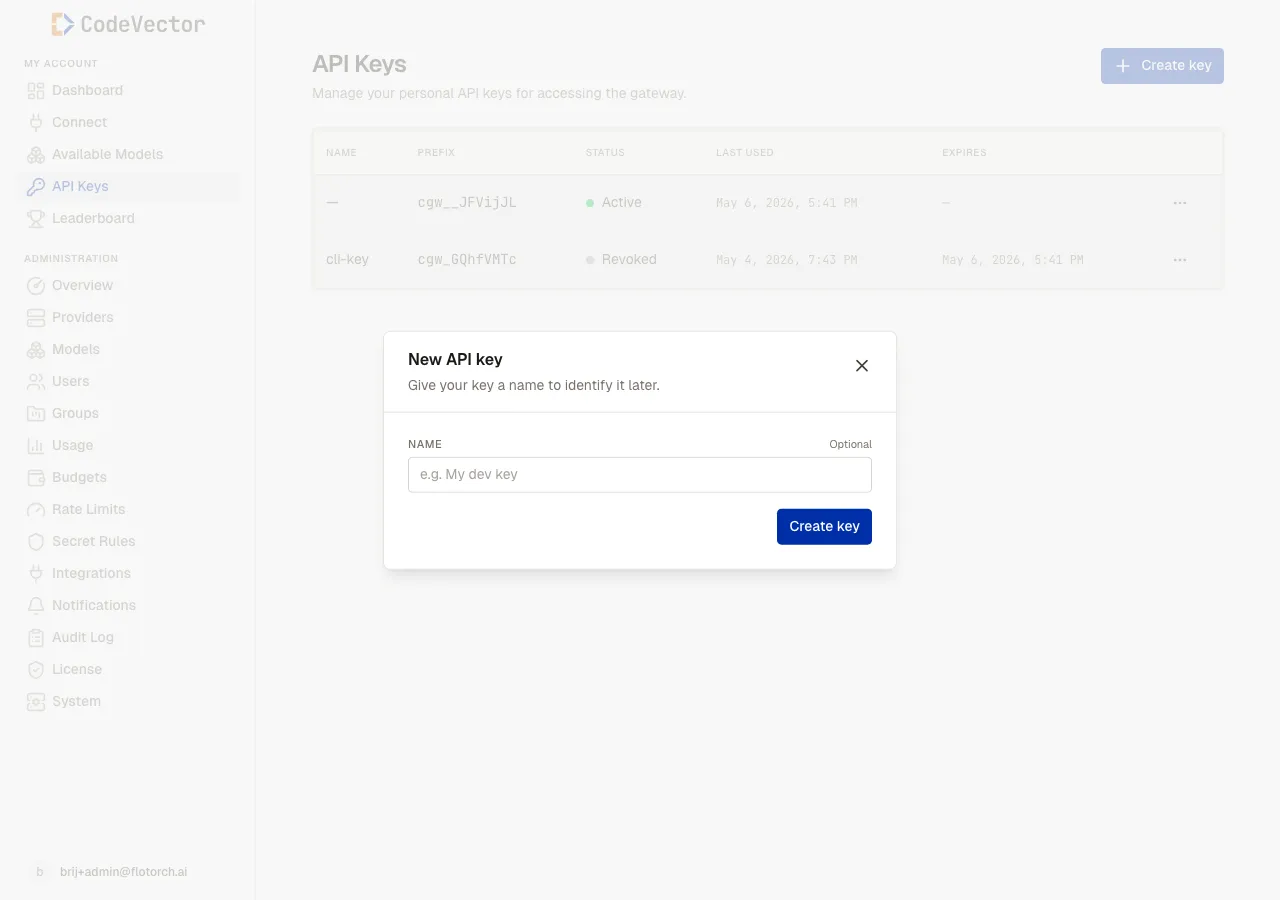
Click Create key and enter a name. The name is optional but recommended for keys that outlive a single device.
The full key is shown once in a modal immediately after creation. Copy it immediately; there is no way to retrieve it later. The console only stores the prefix and a one-way hash of the key.
Revoking a key
Click the row menu and select Revoke. Revoked keys return 401 on all future gateway requests. This is immediate and cannot be undone.
Using a key
Pass the key in the Authorization header:
curl https://your-gateway.example.com/gateway/openai/v1/chat/completions \
  -H "Authorization: Bearer your-api-key" \
  -H "Content-Type: application/json" \
  -d '{"model": "claude-sonnet-4-6", "messages": [{"role": "user", "content": "Hello"}]}'
Frequently asked questions
Can I see a key after I create it?
No. The full key is shown exactly once at creation. After that, only the prefix is stored and visible.
What happens when a key expires?
Expired keys return 401 on gateway requests. You can revoke a key early at any time.
Can an admin see my API keys?
No. Keys are hashed at rest with a memory-hard algorithm. Admins can see the prefix and last-used timestamp, but never the full key.