Connect
Connect your coding tools to CodeVector using the CLI or manual configuration snippets for Claude Code, Cursor, and other OpenAI-compatible tools.
Your gateway URL
Pin your own gateway hostname and we'll rewrite the routes and curl examples on every docs page so you can click straight through to the live console. Stored locally in your browser.
The Connect page helps you wire coding tools to your CodeVector instance. You can use the CLI for one-command setup, or copy manual configuration snippets for each tool.
Set up with the CLI
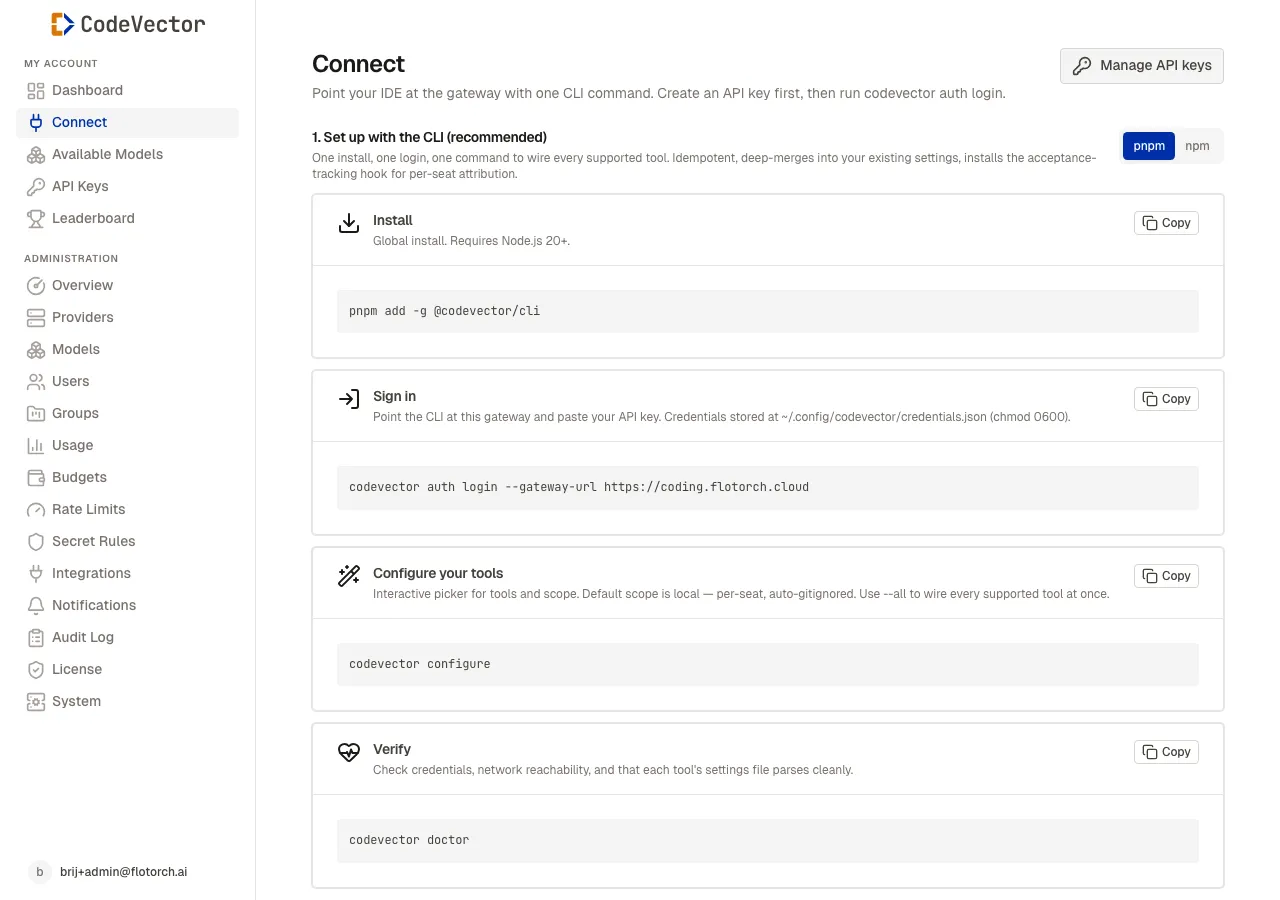
The Connect page shows CLI setup steps and manual configuration snippets for supported tools.
The @codevector/cli package handles setup automatically:
- Install -
pnpm add -g @codevector/cli(ornpm i -g) - Sign in -
codevector auth login --gateway-url https://your-gateway.example.com(substitute your own gateway hostname) - Configure -
codevector configureinteractively wires each tool - Switch profiles (optional) -
codevector profile listandcodevector profile switchmanage multiple gateways or teams - Verify -
codevector doctorchecks credentials, reachability, and config parsing
The CLI stores credentials at ~/.config/codevector/credentials.json with chmod 0600. The file can hold multiple named profiles; one profile is active at a time and is used by all commands. It deep-merges into existing tool settings without overwriting unrelated configuration. See the codevector CLI reference for every command and flag, including the profile file shape and switching behavior.
If you use codex with multiple profiles, remember to update $CODEVECTOR_GATEWAY_KEY in your shell when you switch - codex reads its API key from the env var, not from the profile file. codevector profile switch prints the exact export line for the new profile.
Manual configuration
If you prefer not to use the CLI, the Connect page also shows copy-paste snippets for:
- Claude Code - environment variables for
ANTHROPIC_BASE_URLandANTHROPIC_AUTH_TOKEN - opencode -
providerblock inopencode.jsonwith both Anthropic and OpenAI entries - codex -
model_providers.codevectorblock in~/.codex/config.tomlplus shell env var - Cursor - GUI-only: Settings > Models > Override OpenAI Base URL
- Generic OpenAI or Anthropic SDK - override
base_urlto the gateway and pass your key
Frequently asked questions
Which tools are supported?
Claude Code, opencode (sst/opencode), codex (OpenAI codex CLI), and Cursor (manual setup only). Any OpenAI- or Anthropic-compatible SDK works too - point its base URL at the gateway.
Do I need the CLI?
No. The Connect page also shows manual copy-paste snippets for each tool if you prefer to edit config files directly.
What does codevector doctor check?
It verifies that your credentials are valid, the gateway is reachable, and each tool’s settings file parses cleanly.
Related docs
- codevector CLI. Full reference for every CLI command and flag.
- API Keys. Create the key you need for the CLI or manual setup.
- Models. The model slugs available on your gateway.