Models
Create and manage Model facades in CodeVector. Wire backends, set routing priority, and control which models developers can access.
Your gateway URL
Pin your own gateway hostname and we'll rewrite the routes and curl examples on every docs page so you can click straight through to the live console. Stored locally in your browser.
Models are the user-facing facades developers reference in API requests. Each Model has a unique slug, one or more backends wired to upstream Provider Models, and a status that controls whether it is routable.
The Models list
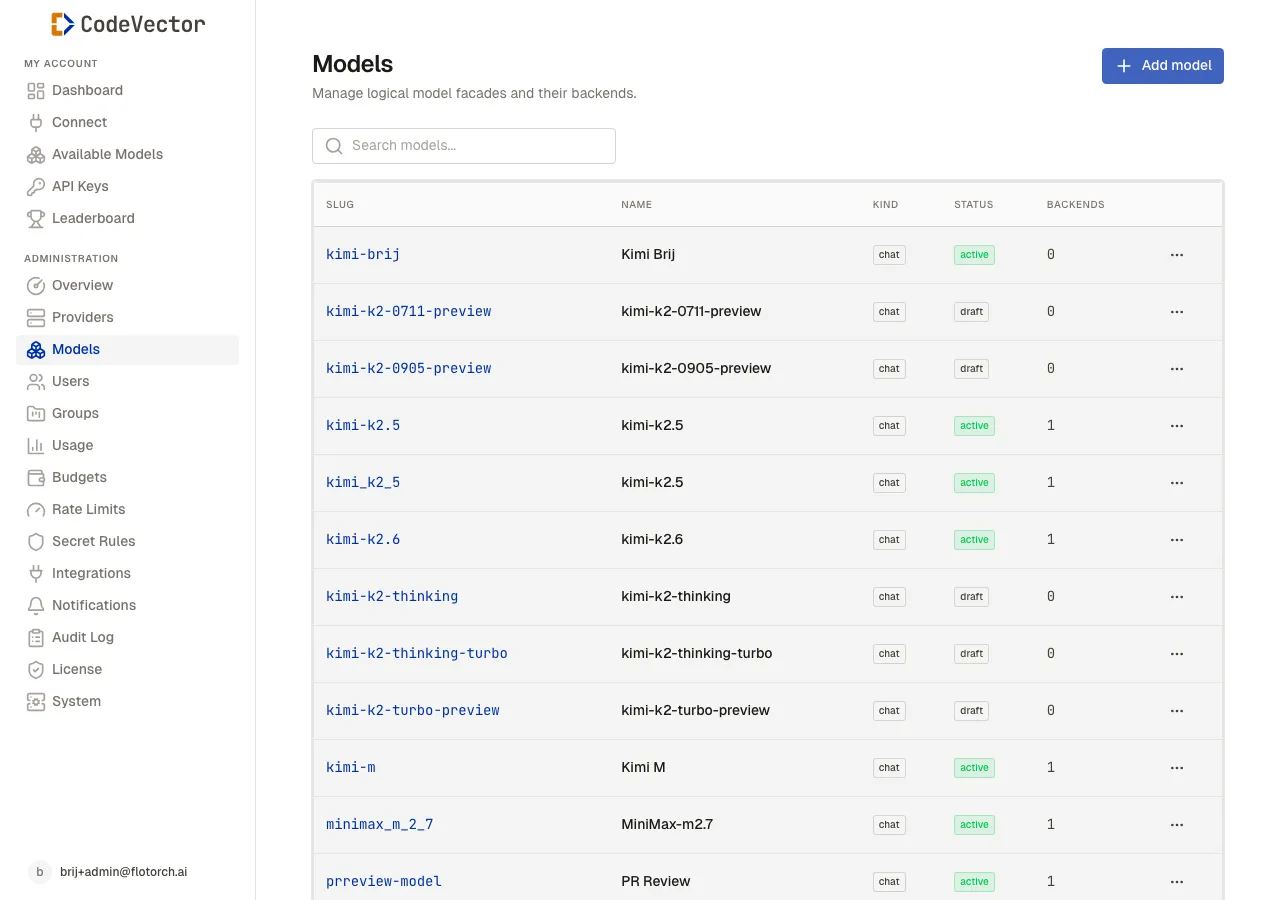
The Models list shows every facade with its slug, kind, status, and number of backends.
Open /admin/models to see all configured models. The table shows:
- Slug - the identifier developers pass in API requests, shown in monospace.
- Name - the display name for the admin console.
- Kind -
chatorembedding. - Status -
draft,active, ordisabled. - Backends - how many Provider Models this facade is wired to.
Use the search box to filter by slug or name. Each row has an actions menu with View, Edit, and Delete.
Creating a model
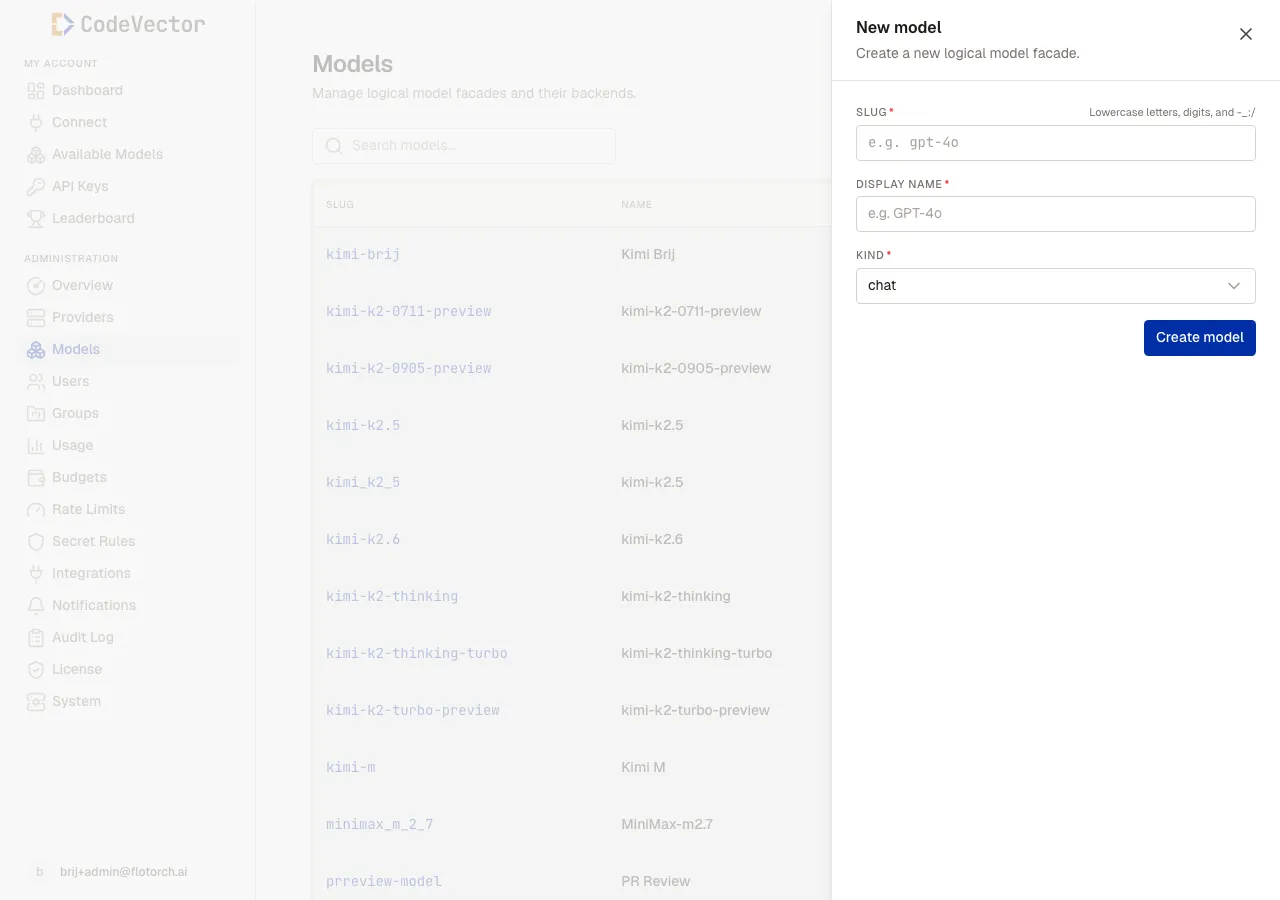
Click Add model to create a facade. The slug must be lowercase letters, digits, and hyphens.
Click Add model and fill in:
- Slug - the identifier developers use. Must be lowercase letters, digits, and hyphens only.
- Display name - the human-readable name shown in the console.
- Kind -
chatorembedding.
The model is created in draft status. You can edit the slug and display name later, but the kind is fixed after creation.
Model detail
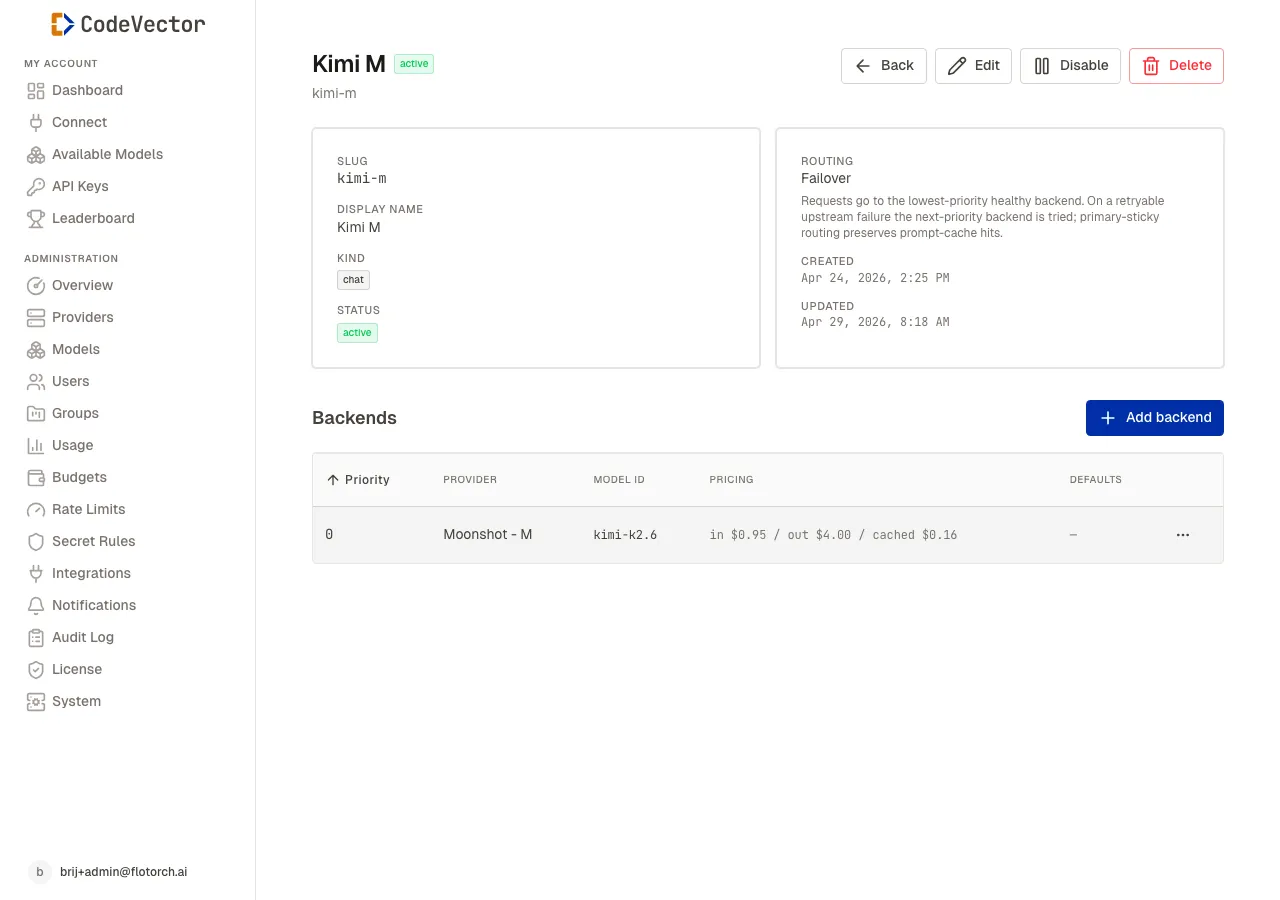
The detail page shows model metadata, routing strategy, and the backends list.
Click any slug to open the detail page. The top cards show:
- Slug and Display name
- Kind and Status
- Routing - currently
Failover. Requests go to the lowest-priority healthy backend. On a retryable upstream failure the next-priority backend is tried. - Created and Updated timestamps
The actions bar has Back, Edit, Publish (when in draft), Disable / Return to draft (when active or disabled), and Delete.
Backends
A backend wires a Model facade to a Provider Model. Each backend has:
- Priority - lower numbers are tried first.
- Provider - which provider account the upstream model lives in.
- Model ID - the upstream model identifier at that provider.
- Pricing - input and output price per million tokens, read from the Provider Model.
- Defaults - optional default parameters like temperature or max tokens.
A model needs at least one backend before it can be published. If no backends are configured, the detail page shows an empty state with an Add backend button.
Adding a backend
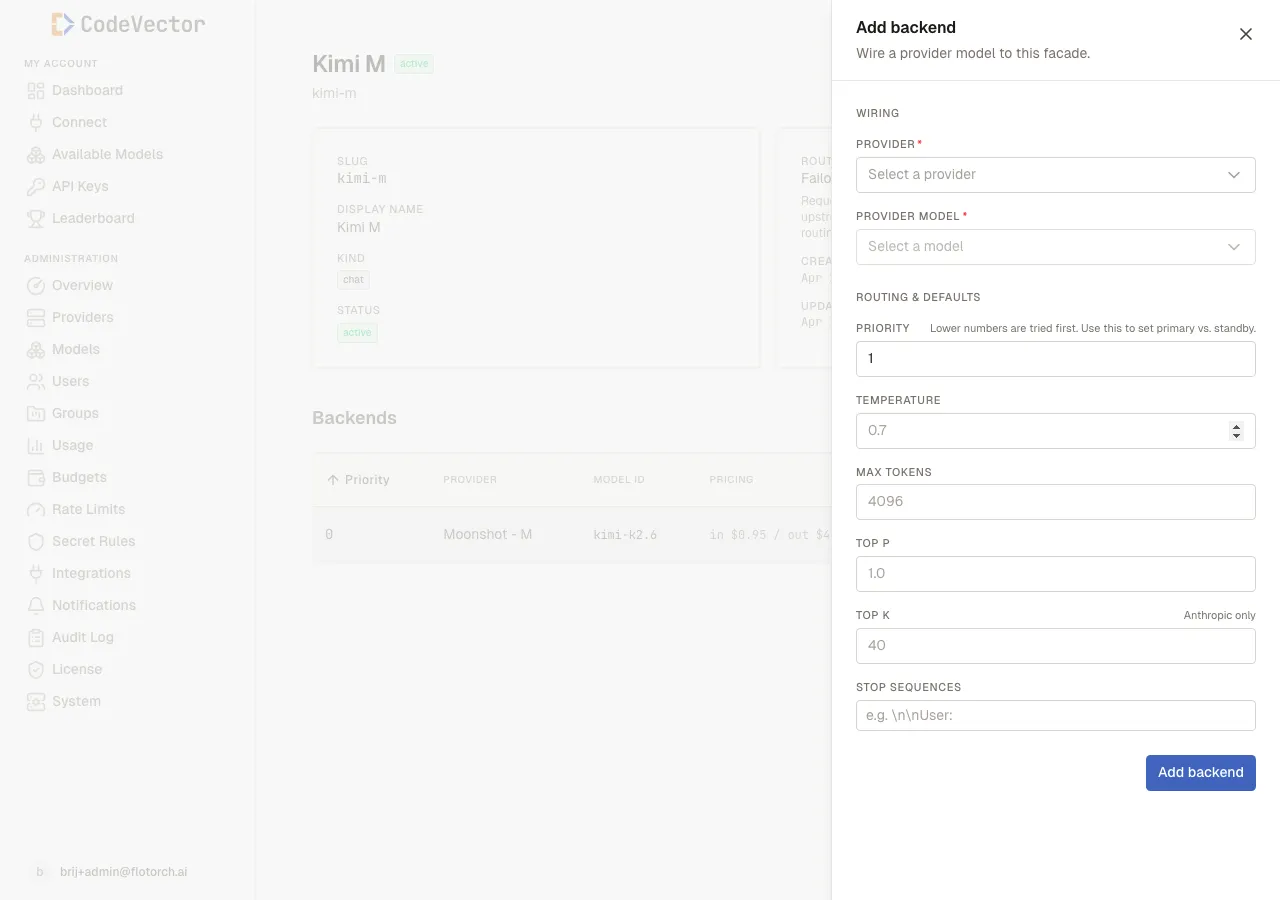
Click Add backend to open the slideover. Pick a Provider, then a Provider Model, then optional defaults.
Click Add backend and fill in:
- Provider - which Provider account hosts the upstream model.
- Provider Model - the concrete upstream model. The dropdown is filtered to the selected provider’s catalog.
- Priority - lower numbers are tried first. Use this to set primary vs. standby.
- Temperature, Max tokens, Top P, Top K, Stop sequences - optional default request parameters. Clients can override these per request; if they don’t, these defaults apply.
The Top K field is honored only by Anthropic-family models; OpenAI-compatible upstreams ignore it. Edit or remove a backend later from the row menu on the detail page.
Frequently asked questions
What’s the difference between a Model and a Provider Model?
A Model is the user-facing facade with a slug developers use in requests. A Provider Model is the concrete upstream model at a specific provider. Backends wire Models to Provider Models.
Can a Model route to multiple providers?
Yes. Add multiple backends with different priorities. CodeVector uses failover routing - it tries the lowest-priority healthy backend first and falls back on failure.
Why is my model stuck in draft?
A model must have at least one backend before it can be published. Add a backend, then click Publish.
What happens when I disable a model?
Disabled models are excluded from routing. Existing API requests that reference the model return an error, but the model configuration and backends remain intact.
Related docs
- Providers. Register upstream providers and import their model catalogs.
- Access grants. Control which users and groups can use each Model.
- Usage. Track request volume and spend per Model.