Users
Manage users in CodeVector. Invite team members, set roles, and control access to models from the Users page. Suspend accounts without losing usage history.
Your gateway URL
Pin your own gateway hostname and we'll rewrite the routes and curl examples on every docs page so you can click straight through to the live console. Stored locally in your browser.
Manage team accounts on the Users page. Invite new members, assign roles, and set per-user access grants, rate limits, and budget caps.
The Users list
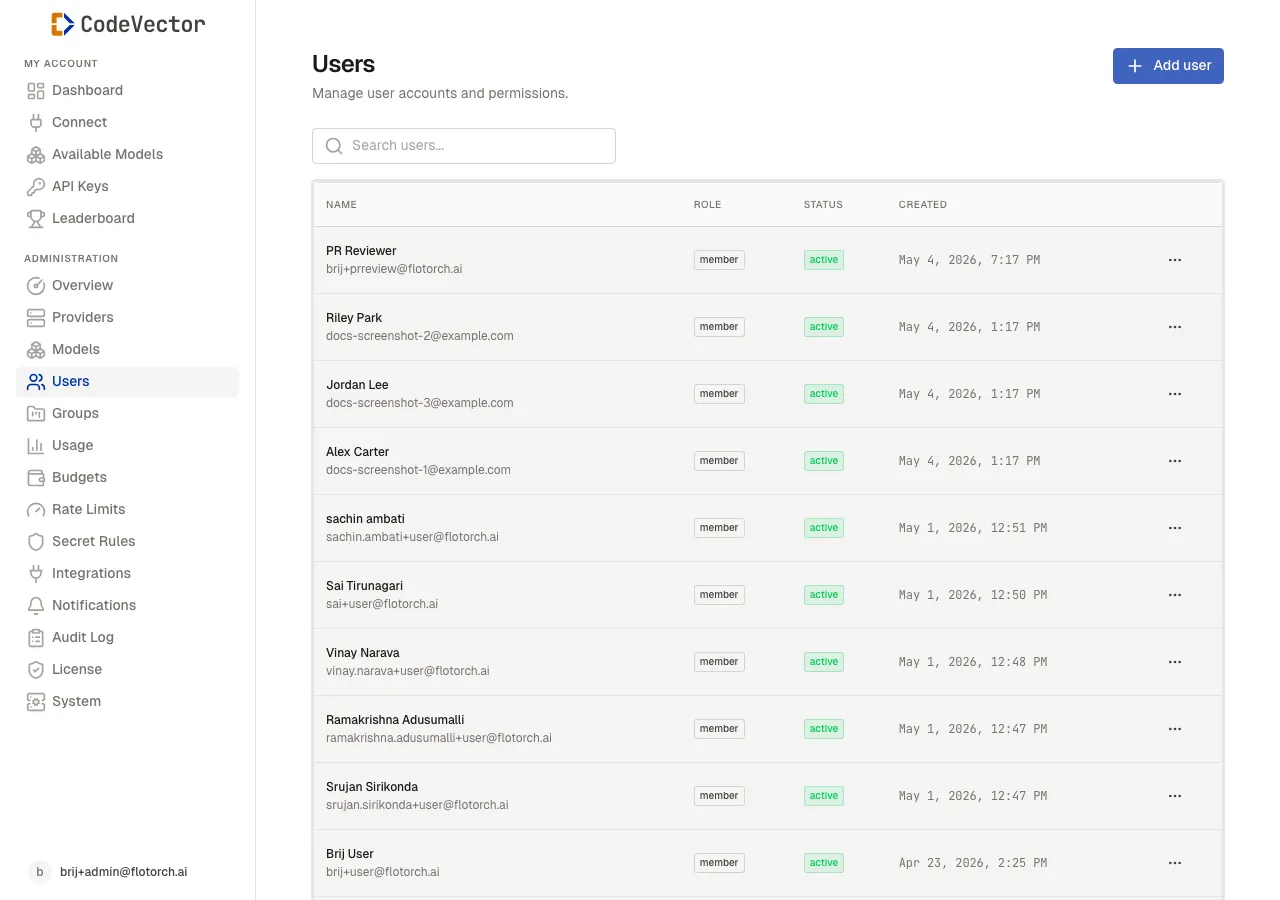
The Users list shows every account with its role, status, and creation date.
Open /admin/users to see all accounts. The table shows:
- Name - the user’s full name, linked to their detail page.
- Role -
adminormember. - Status -
active,invited, orsuspended. - Created - when the account was added.
Use the search box to filter by name or email.
Inviting users
Click Invite user and enter an email address. Choose a role:
- Admin - full access to providers, models, users, groups, and system settings.
- Member - can create API keys, view available models, and see personal usage.
The recipient receives an invitation email with a one-time link to set their password. Invitations expire after 7 days.
User detail
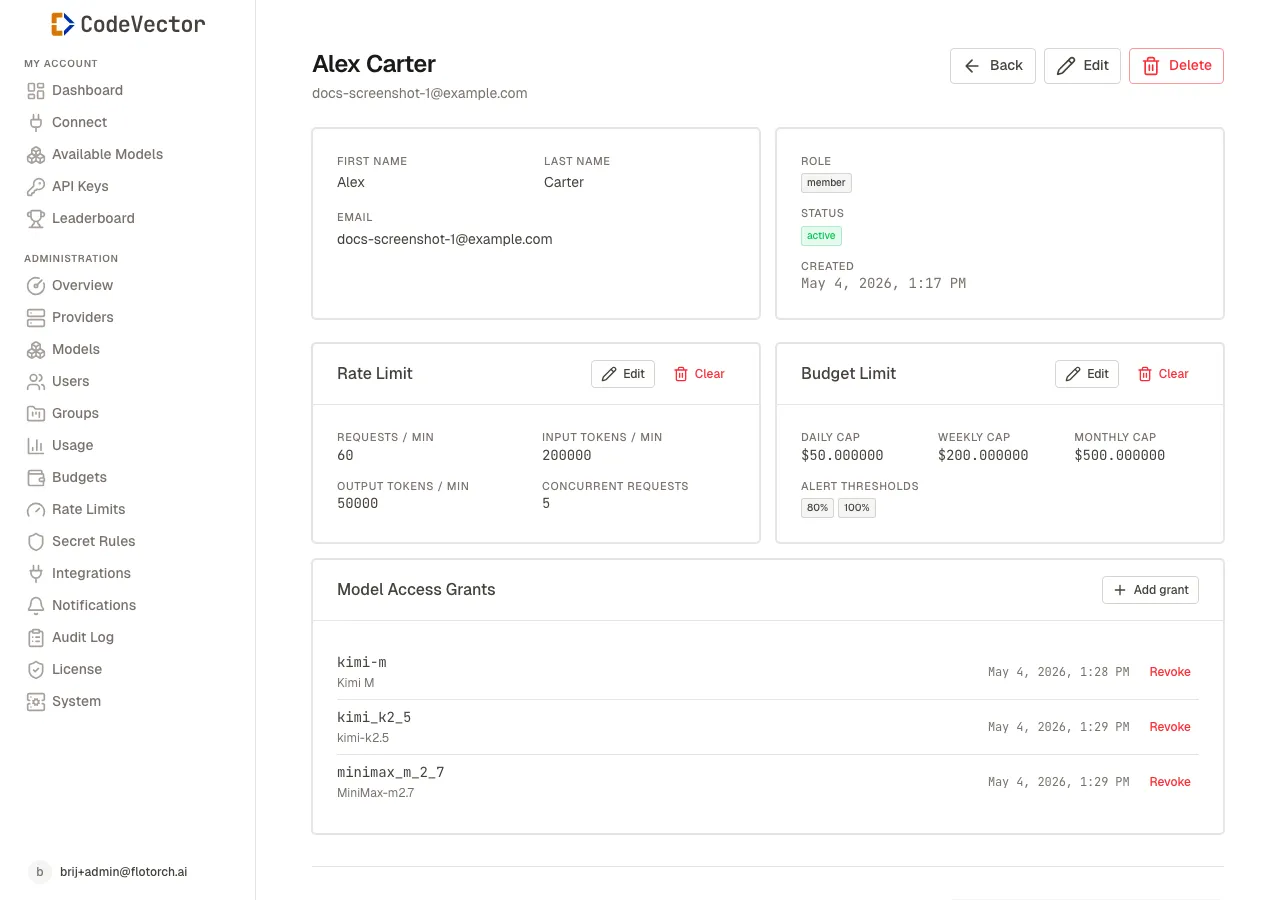
The user detail page is where you set per-user grants, rate limits, and budget caps.
Click any user name to open their detail page. From here you can:
- Edit their name or role
- Suspend or reactivate the account
- Assign Model Access Grants - click Add grant to open the model picker, Revoke on a row to remove
- Set per-user Rate Limit caps - click Edit to set requests/min, input/output tokens/min, and concurrent request limits
- Set per-user Budget Limit caps - click Edit to set daily/weekly/monthly USD caps and alert thresholds
- View their personal usage history and trend charts
If the user belongs to any groups, their effective budget and rate limits are the strictest values across their personal limits and every group they are in. See Groups for how that merge works.
Frequently asked questions
What’s the difference between admin and member roles?
Admins can manage providers, models, users, groups, and system settings. Members can create API keys, view available models, and see their own usage.
Can I suspend a user without deleting them?
Yes. Suspending a user blocks their API keys and console access, but preserves their settings and history.
What happens when I delete a user?
The user account and all associated API keys are removed. Access grants and group memberships are cleaned up automatically.
Related docs
- Groups. Organize users into groups for shared grants and policies.
- Access grants. Control which models each user can access.
- API Keys. How users create and manage their gateway keys.