Groups
Organize users into groups in CodeVector. Groups inherit shared access grants, rate limits, and budget caps. A user can belong to any number of groups.
Your gateway URL
Pin your own gateway hostname and we'll rewrite the routes and curl examples on every docs page so you can click straight through to the live console. Stored locally in your browser.
Organize users into teams with Groups. Members inherit shared access grants, rate limits, and budget caps so you don’t have to manage each user individually.
The Groups list
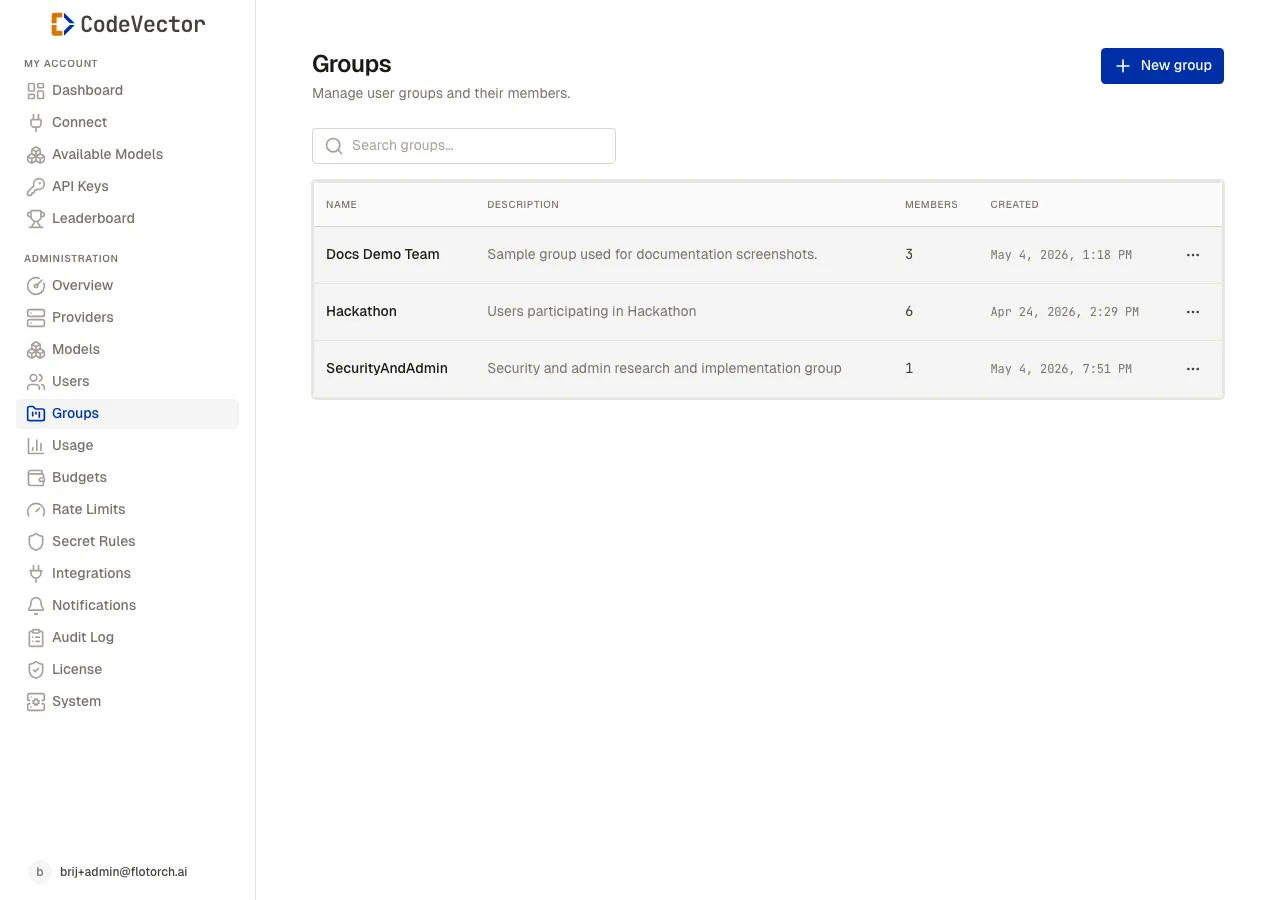
Open /admin/groups to see all groups. The table shows:
- Name - linked to the group detail page.
- Description - optional context for the group’s purpose.
- Members - how many users belong to the group.
- Created - when the group was added.
Creating a group
Click Create group and enter a name. The description is optional but recommended for larger teams.
Group detail
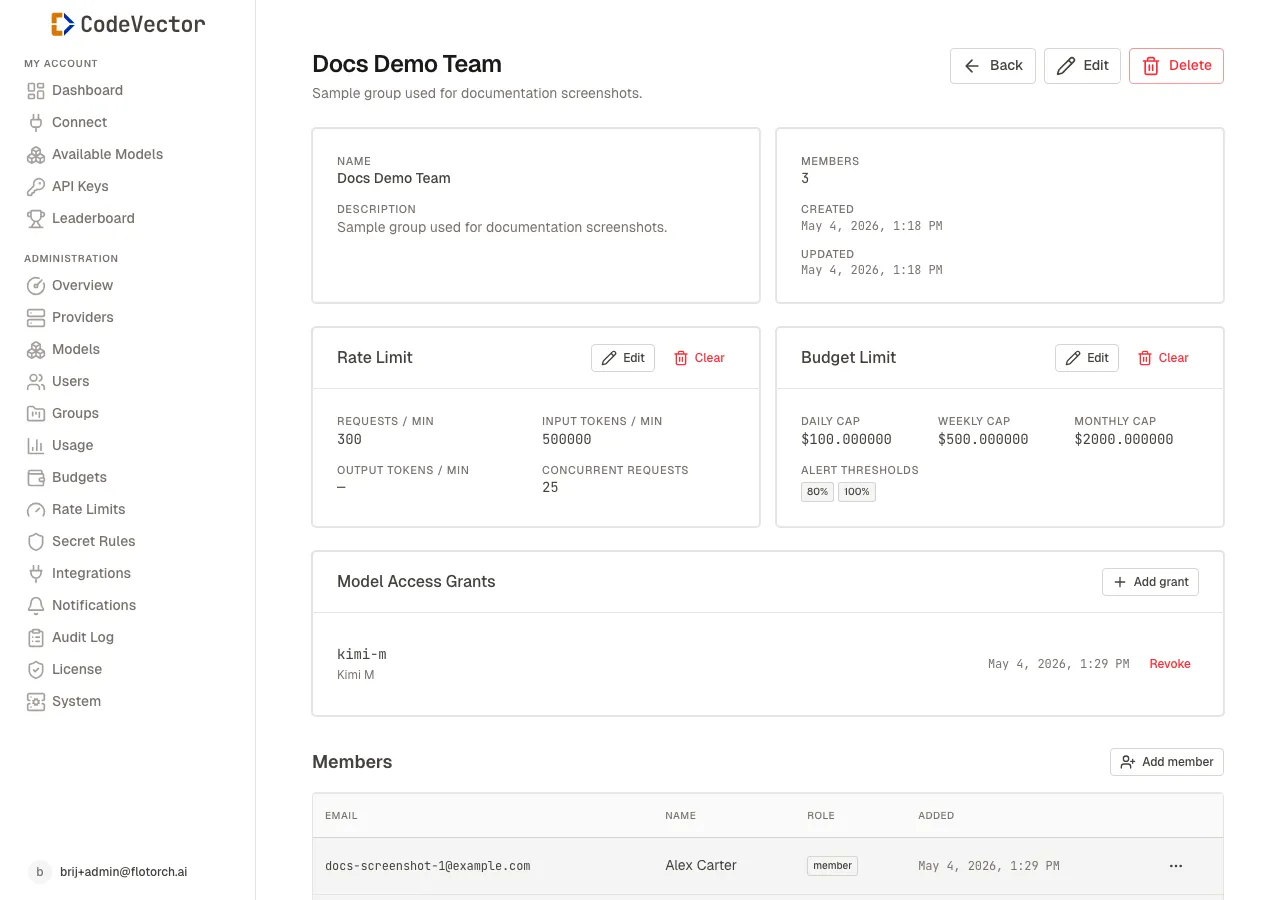
The group detail page lists members and shows the group-level rate limit, budget cap, and model grants.
Click any group name to open its detail page. From here you can:
- Edit the name or description
- Add member - open the user picker to attach existing users
- Remove member - row menu on the Members table
- Assign Model Access Grants that apply to every member
- Set group-level Rate Limit caps that merge with each member’s user-level limits
- Set group-level Budget Limit caps with the same merge-strictest rule
How grants and limits merge
When a user belongs to one or more groups, their effective permissions are computed as follows:
- Access grants - the union of personal grants and all group grants. If any grant allows access to a model, the user can use it.
- Rate limits - the strictest applicable limit wins across the user and all their groups.
- Budget caps - the strictest applicable cap wins across the user and all their groups.
Frequently asked questions
Do group grants stack with user grants?
Yes. A user gets the union of their personal grants and all group grants they belong to.
What if a user and group have conflicting rate limits?
The strictest limit wins. If a user has 100 req/min and a group has 60 req/min, the effective limit is 60.
Can a user belong to multiple groups?
Yes. There is no limit on group memberships. Keep in mind that budget and rate limits are merged strictest-wins across all groups, so adding a user to multiple groups can tighten their effective limits in ways you might not expect. See the notice above for details.
What happens if two groups give the same user different budget caps?
The lower cap wins. A user in “Engineering” ($50/day) and “Interns” ($20/day) is capped at $20/day. There is no way for the user to “use” the Engineering cap for some requests and the Interns cap for others.
Related docs
- Users. Manage individual accounts and their direct grants.
- Access grants. How grants work for both users and groups.
- Rate limits. How limits merge across users and groups.