Providers
Configure upstream AI providers in CodeVector. Add credentials, import the model catalog, and manage Provider Models from one page.
Your gateway URL
Pin your own gateway hostname and we'll rewrite the routes and curl examples on every docs page so you can click straight through to the live console. Stored locally in your browser.
Register every upstream AI service on the Providers page. Each provider stores credentials with envelope encryption and exposes its models so you can wire them into user-facing Model facades.
The Providers list
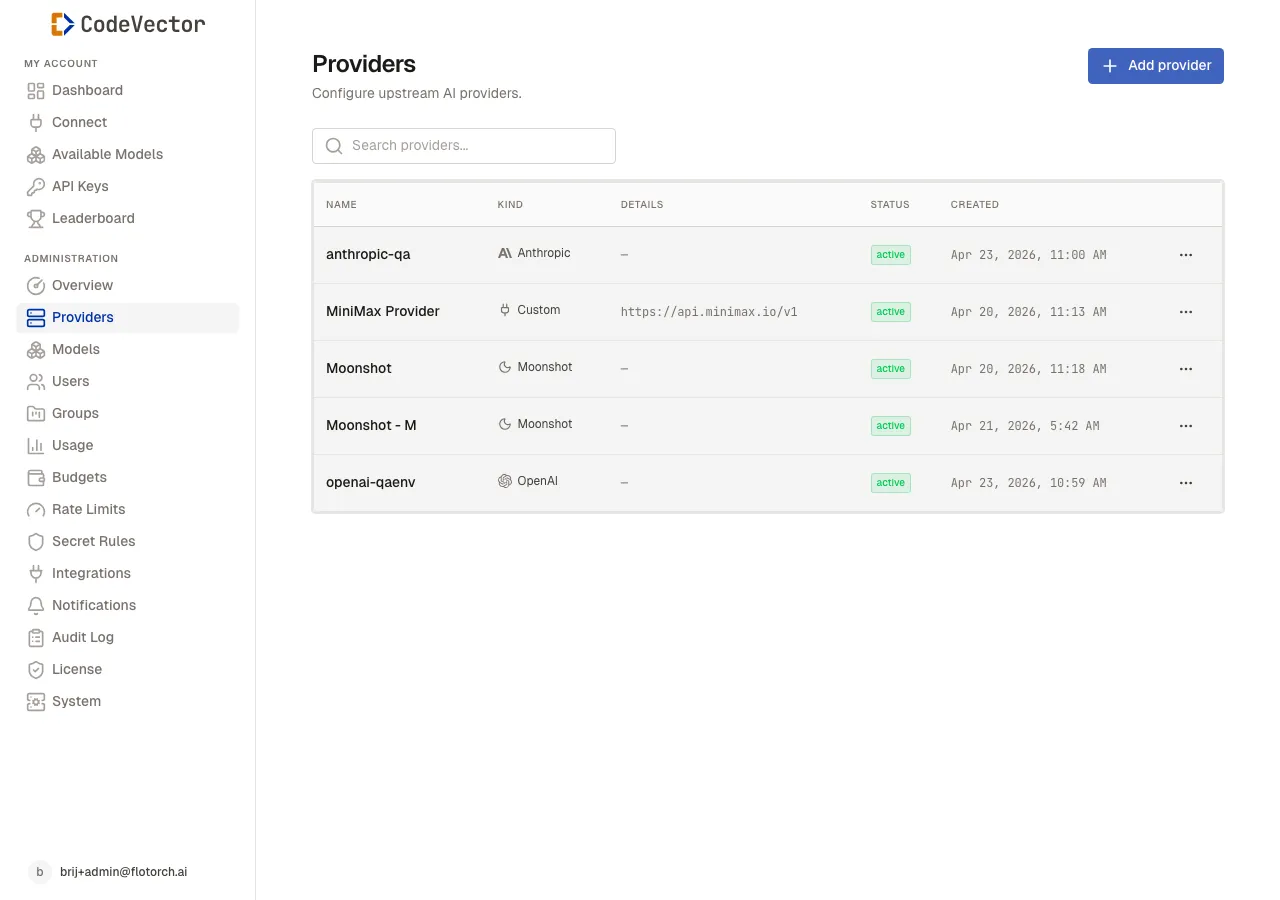
The Providers list shows every upstream with its kind, credential prefix, and status.
Open /admin/providers to see all configured providers. The table shows:
- Name - clickable link to the provider detail.
- Kind - the provider type, shown as a badge.
- Details - base URL or other config summary for custom providers.
- Status -
activeordisabled. Disabled providers are excluded from routing. - Created - when the provider was added.
Use the search box to filter by name. Each row has an actions menu with View, Edit, Disable / Enable, and Delete.
Adding a provider
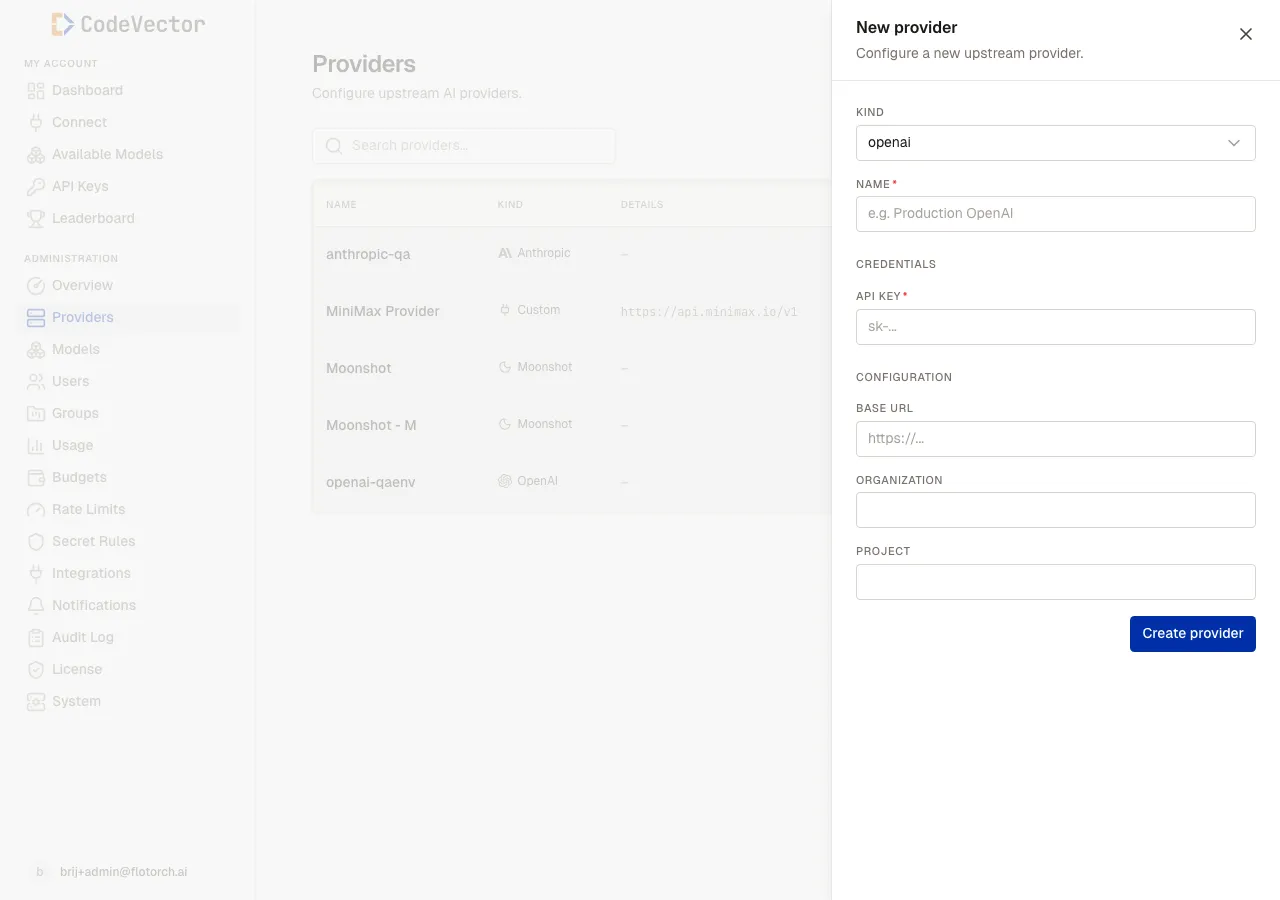
Click Add provider to open the creation modal. Fields change based on the selected provider kind.
Click Add provider and choose the kind. Every kind has a Name field and a Credentials section. Some kinds also show a Configuration section for base URL, organization, or region.
Credentials are write-only. After you save, the console only ever shows the prefix and last-updated-at. There is no debug route that returns the full credential.
Provider detail
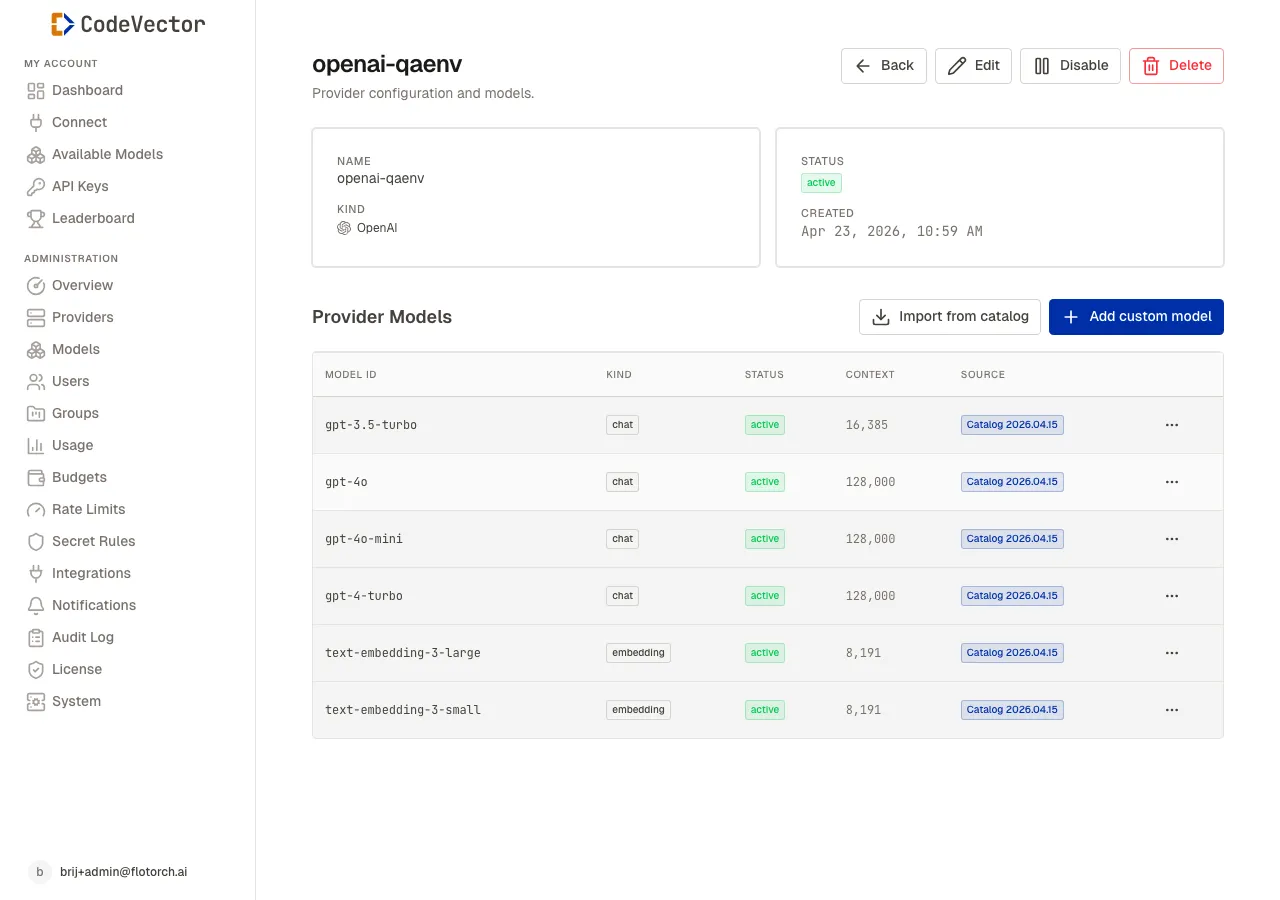
The detail page shows provider metadata and the list of Provider Models imported from the catalog.
Click any provider name to open its detail page. The top cards show:
- Name and Kind
- Status - toggle with Disable or Enable
- Created - timestamp
The actions bar has Back, Edit, Disable / Enable, and Delete. Deleting a provider also removes all of its Provider Models and cascades to any Model backends wired to them.
Provider Models
The lower half of the detail page lists every model available at this provider.
- Import from catalog - one-click import of the bundled seed catalog for this provider kind. Existing entries are skipped.
- Add custom model - define a model manually if it isn’t in the catalog.
Each row shows the upstream model ID, kind (chat or embedding), status, context window size, and source (Catalog 2026.04.15 or Custom). Use the row menu to edit, disable, or remove a model.
Frequently asked questions
Can I rotate a provider’s credentials without re-encrypting every row?
Yes. Credentials use envelope encryption with per-row DEKs. Rotating the KEK only re-wraps the DEK wrappers, so no row needs to be touched individually.
What provider kinds are supported?
OpenAI, Anthropic, Azure, Amazon Bedrock, Google, Vertex, Vertex Anthropic, Groq, Cohere, DeepSeek, Moonshot, and any OpenAI-compatible endpoint.
What’s the difference between a Provider and a Provider Model?
A Provider is the upstream account or endpoint. A Provider Model is a concrete model at that provider, such as gpt-4o or claude-sonnet-4-6.
Can I add a model that isn’t in the catalog?
Yes. Open the provider detail and click Add custom model to define the upstream model ID, context window, and pricing manually.
Related docs
- Models. How user-facing Model facades wire to upstream Provider Models.
- Access grants. Grant users or groups access to specific Models.
- Usage. Track spend and token volume per provider.